How to Create a Sub-Account on Bitget EU?
[Estimated Reading Time: 3 mins]
This guide walks you through the process of creating a sub-account on Bitget EU. Sub-accounts allow you to manage multiple trading accounts under a single main account, enabling better risk management, fund allocation, and team collaboration.
What is a Sub-Account?
A sub-account is a secondary account under your main Bitget EU account. It operates independently while sharing the main account’s security settings. Sub-accounts can be used for different trading strategies, team management, or fund separation.
Types of sub-accounts
Bitget EU offers three types of sub-accounts:
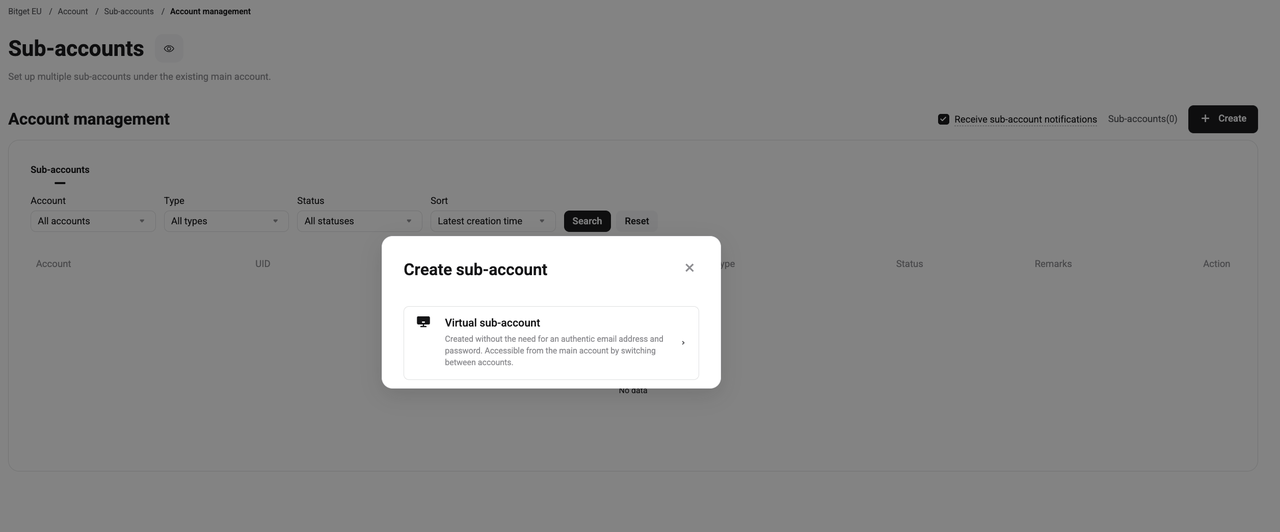
1. Virtual sub-account. No separate email or password required. Accessible by switching from the main account.
2. General sub-account. Requires an email and password. Has separate security settings from the main account.
3. Managed trading sub-account. Designed for users who wish to assign trading permissions to other users or teams while retaining overall control of the assets.
How to Create a Sub-Account on Bitget EU Website?
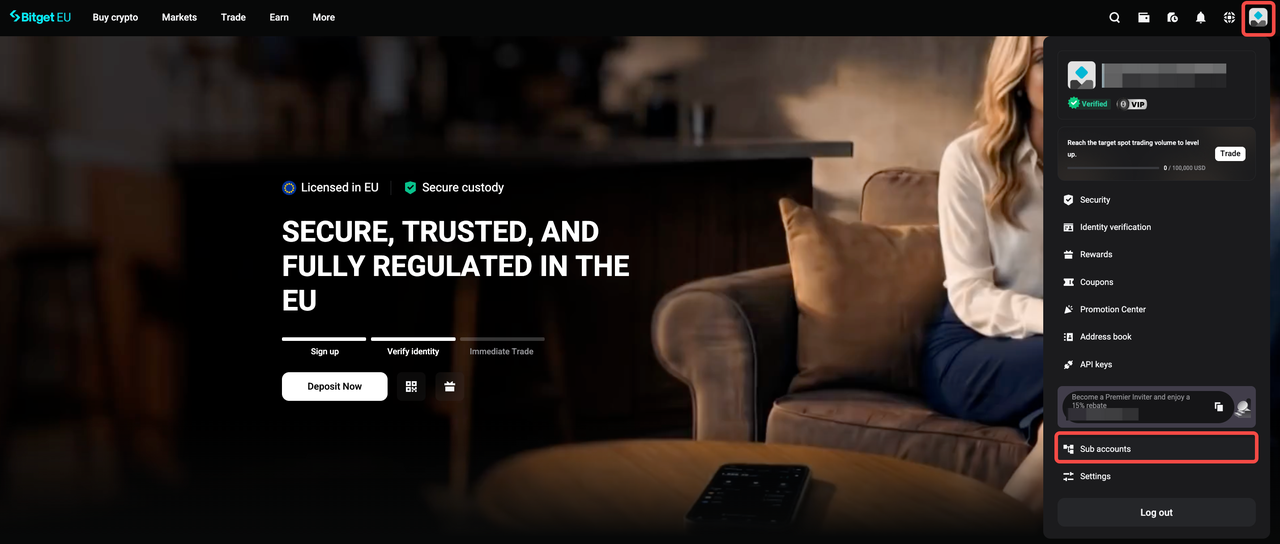
Step 1: Access the sub-account dashboard
1. Click on your profile icon in the top-right corner.
2. Select Sub accounts from the dropdown menu.
Step 2: Select The Sub-account Type
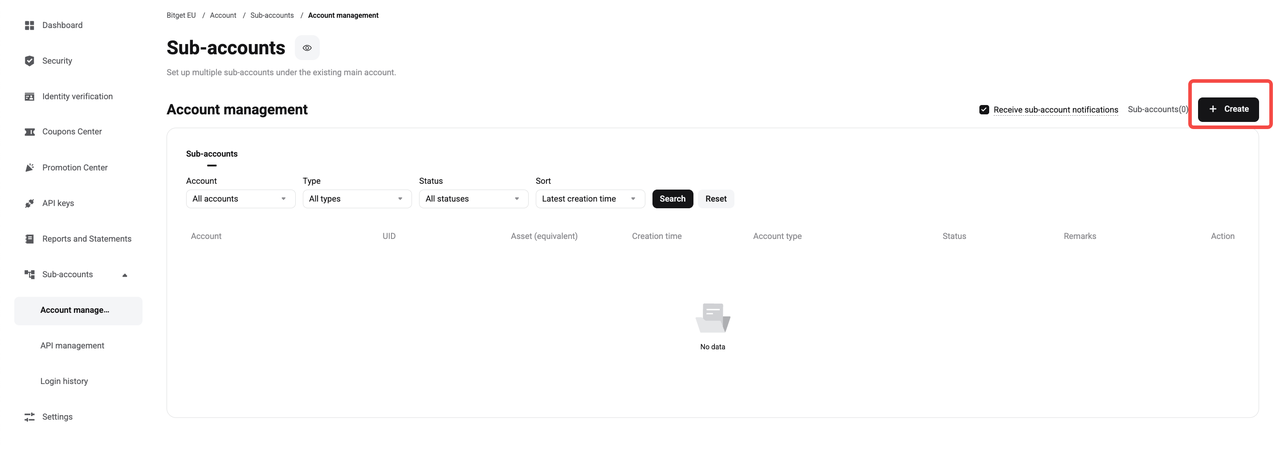
1. On the Sub-accounts page, click the Create button in the top-right corner.
2. Select the sub-account type
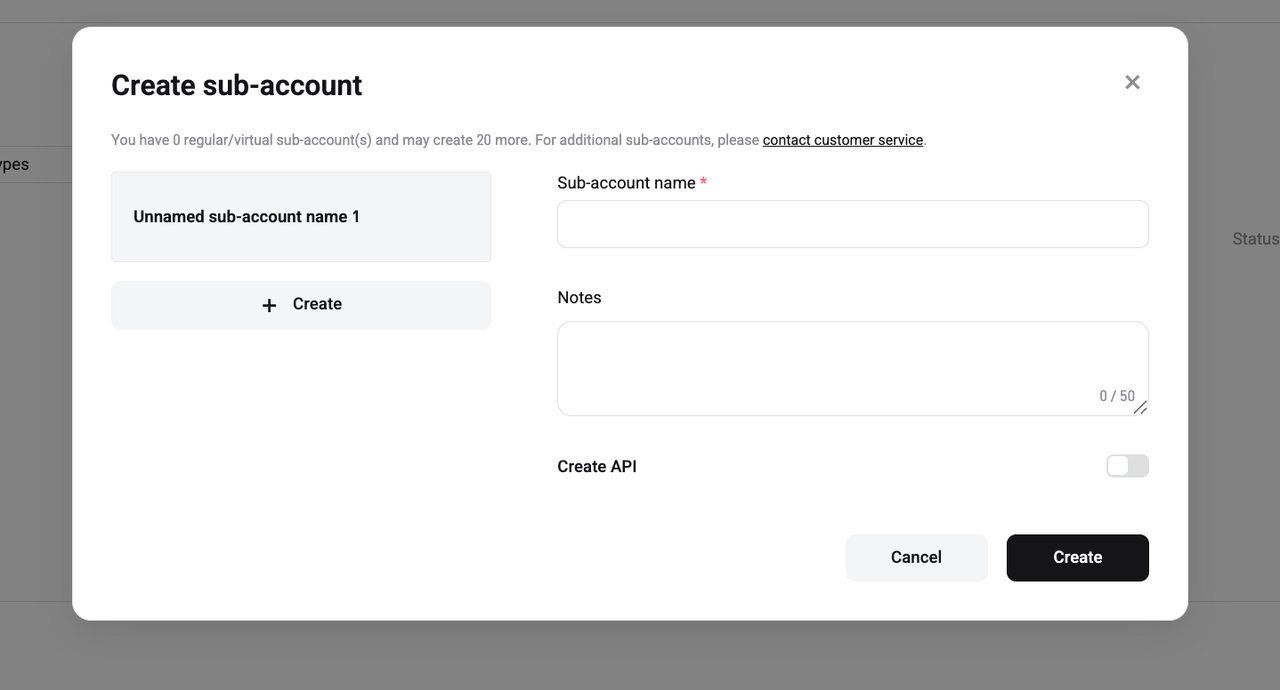
3. Enter sub-account details depending on the selected type
4. Toggle Create API if you want to generate API keys for automated trading.
Step 3: Confirm and Create
1. Click Create to finalize the process.
Managing Your Sub-Accounts
After creating a sub-account, you can:
-
Switch between accounts. Use the main account to manage virtual sub-accounts.
-
Transfer funds. Move assets between the main account and sub-accounts instantly.
FAQs
1. How many sub-accounts can I create?
You can create up to 20 sub-accounts by default.
2. Can sub-accounts withdraw funds?
To make a withdrawal, you must first transfer the funds to the Main Account, then proceed with the withdrawal from there.
3. Can I delete a sub-account?
Yes, you can delete a sub-account. Before deleting a sub-account, ensure all positions are closed and all balances are withdrawn. Manage any remaining balance in the account accordingly. Bitget EU is not responsible for any assets remaining in a sub-account after deletion. Please ensure all balances are withdrawn and positions closed before proceeding. After deletion, all associated assets cannot be recovered.
4. Do sub-accounts have separate login credentials?
Virtual sub-accounts do not have separate login credentials.
5. Can I use API trading with a sub-account?
Yes, you can generate API keys for sub-accounts with customizable permissions.
Join Bitget EU — Your Trusted Crypto Platform in Europe.
T&Cs apply. Crypto-asset prices are highly volatile, which may result in a significant or total loss of the value of the assets held by you. Carefully assess the risks before investing. This content constitutes a marketing communication within the meaning of the Markets in Crypto-Assets Regulation (MiCAR) and is provided by Bitget EU. It does not constitute investment advice.
Share