How to Reset Phone Number for My Bitget EU Account? - Website Guide
[Estimated Reading Time: 3 mins]
This guide explains how to reset the phone number linked to your Bitget EU account via the website, if you've lost access to your current phone number.
How to Change Phone Number for My Bitget EU Account?
Step 1: Change Verification Method
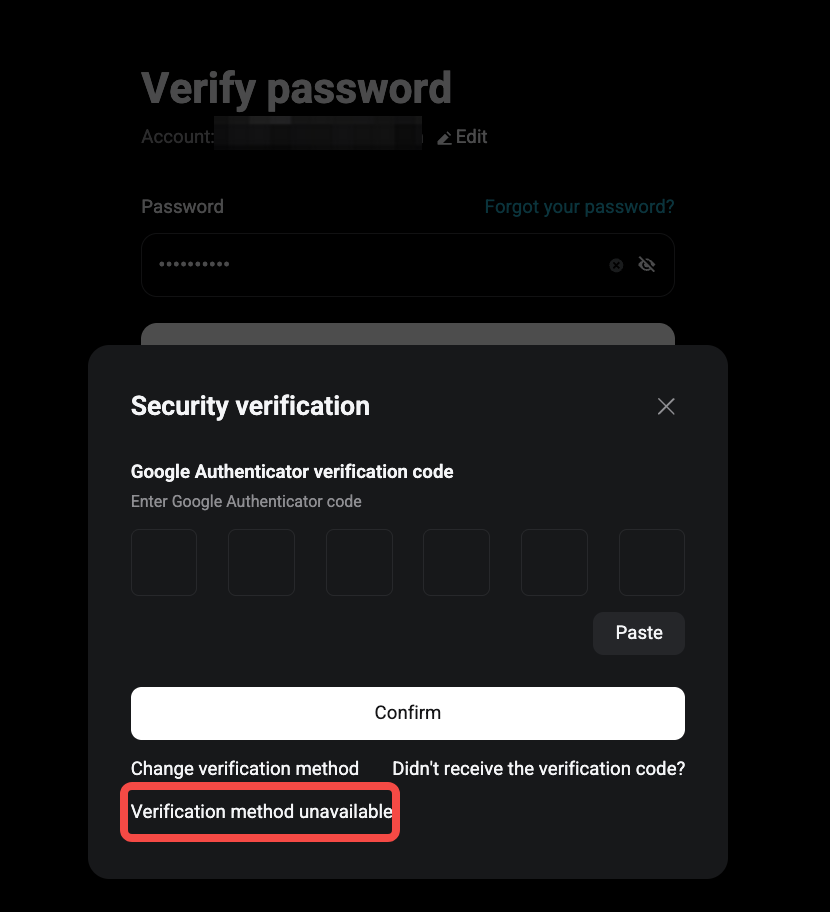
1. On the login page, after entering your credentials, click [Verification Method Unavailable].
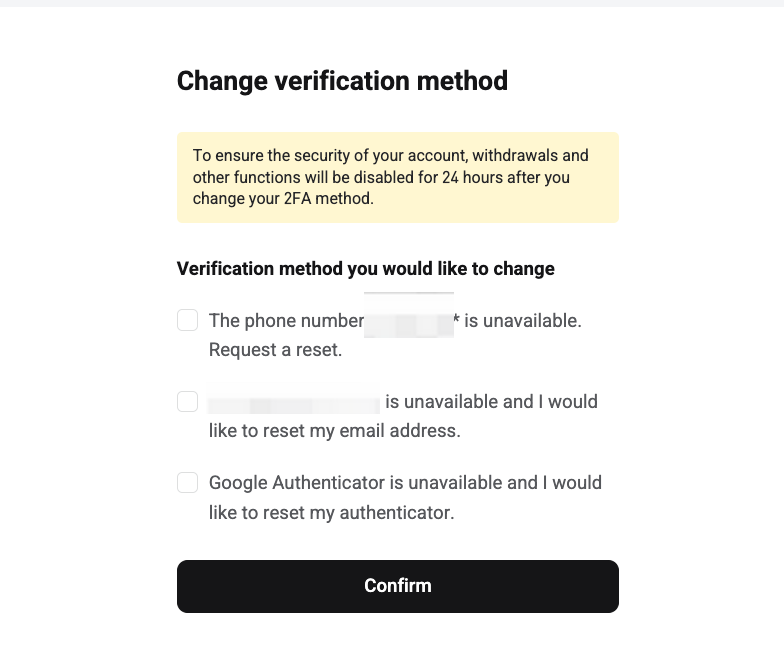
2. On the Change verification method page, select The phone number is unavailable. Request a reset.
3. Click Confirm.
Step 2: Complete security verification
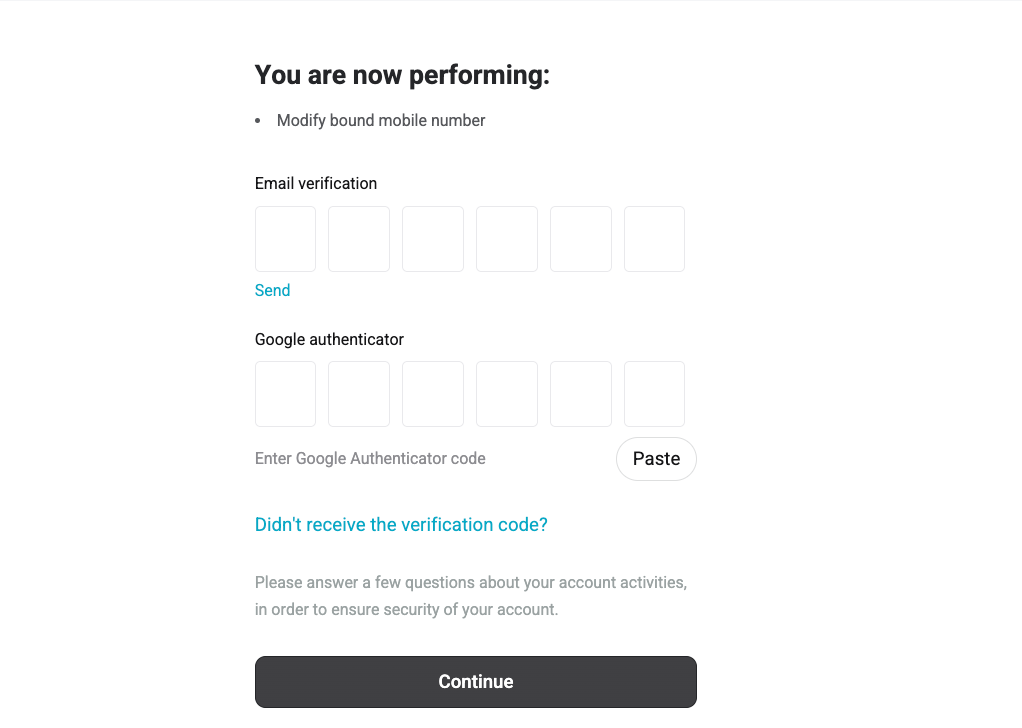
1. Click Send to request the email verification code.
2. Enter the email verification code.
3. Enter your Google Authenticator code, if Google Authenticator is bound to your account.
4. Click Continue.
Step 3: Answer security questions
1. Select the country or region where you last logged in.
2. Select the device you used for your last login.
3. Select the assets you currently own, up to 10 cryptocurrencies.
4. Select the assets on your favorites list, up to 10 cryptocurrencies.
5. Enter the reason for your application.
6. Select the types of trades you have made on the platform before.
7. Click Continue.
Step 4: Upload the required verification materials
Follow the on-screen instructions to upload the required materials. The required items may vary depending on your answers in Step 3.
You may be asked to upload:
-
A screen recording showing your deposit transaction details
-
Front side of your ID or passport
-
Back side of your ID or passport
-
A selfie of you holding your ID
Note: Screenshots of deposit records are not accepted. Only MP4 video files up to 20 MB are supported.
Step 5: Bind a New Phone Number
1. Enter the new phone number and click Send to request an SMS verification code.
2. Input the verification code and click Reset.
3. Click Confirm to finalize the process and acknowledge the confirmation message.
Important: Upon changing your phone number, withdrawals will be disabled for 24 hours to ensure the security of your account. The restrictions will be lifted automatically after this period, provided no suspicious activity is detected during our compliance review.
FAQs
1. What if I don’t receive the SMS verification code on my new phone number?
Ensure the phone number is entered correctly. If the issue persists, try resending the code.
2. Will my account security be affected if I reset my phone number?
No, your account remains secure as the reset process requires verification to confirm account ownership.
3. Can I use the same phone number for multiple Bitget EU accounts?
No, each phone number can only be linked to one Bitget EU account.
4. How long does it take for withdrawal restrictions to lift after resetting my phone number?
The restrictions will automatically lift 24 hours after resetting your phone number.
Join Bitget EU — Your Trusted Crypto Platform in Europe.
T&Cs apply. Crypto-asset prices are highly volatile, which may result in a significant or total loss of the value of the assets held by you. Carefully assess the risks before investing. This content constitutes a marketing communication within the meaning of the Markets in Crypto-Assets Regulation (MiCAR) and is provided by Bitget EU. It does not constitute investment advice.
Share