Crypto deposit & withdrawal
FAQ - Understanding the Travel Rule Requirements
2026-03-26 03:00060
1. What is the Travel Rule?
The Financial Action Task Force (FATF) requires Virtual Asset Service Providers (VASPs) to collect and share specific customer information during virtual asset transfers. This rule aims to combat money laundering and terrorist financing by ensuring transparency in financial transactions, making it harder for criminals to use crypto-assets for illicit activity.
2. Will Bitget EU implement the Travel Rule?
Yes, in accordance with Regulation (EU) 2023/1113, Bitget EU fully complies with the Travel Rule. This means certain information must be collected whenever you deposit or withdraw cryptocurrency, whether the transfer is to or from another VASP (such as an exchange or crypto platform) or a private wallet (such as MetaMask).
3. Who is affected by the Travel Rule?
As a Bitget EU customer, you may be required to provide additional information when sending or receiving virtual assets between Bitget EU and an external wallet, such as a private wallet or another exchange/VASP account. If a transfer originates from a VASP that already provides the required information to Bitget EU in line with the Travel Rule, you may not need to submit the details again.
3.1Withdrawal
Follow the steps below to submit your withdrawal details.
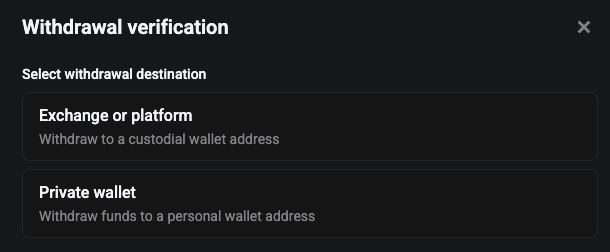
Step 1: Select the withdrawal destination
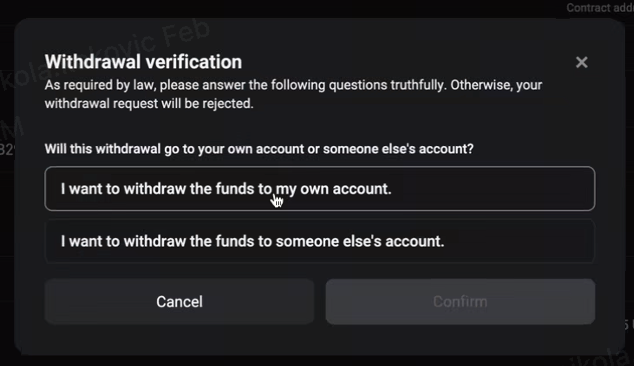
Step 2: Confirm whose account you are withdrawing to
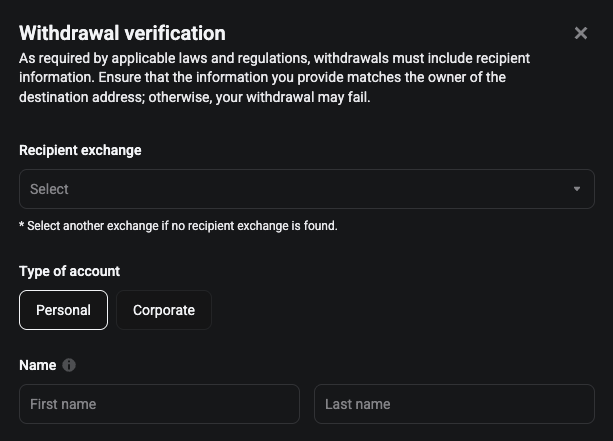
Withdrawals to VASPs (exchanges or crypto platforms)
In particular circumstances, you may be required to provide:
-
Name of the beneficiary exchange or crypto platform
-
Whether the withdrawal is to an individual or a company account
-
Name of the beneficiary exchange or crypto platform
Withdrawals to Private Wallets (e.g., MetaMask)
In particular circumstances, you may be required to provide:
-
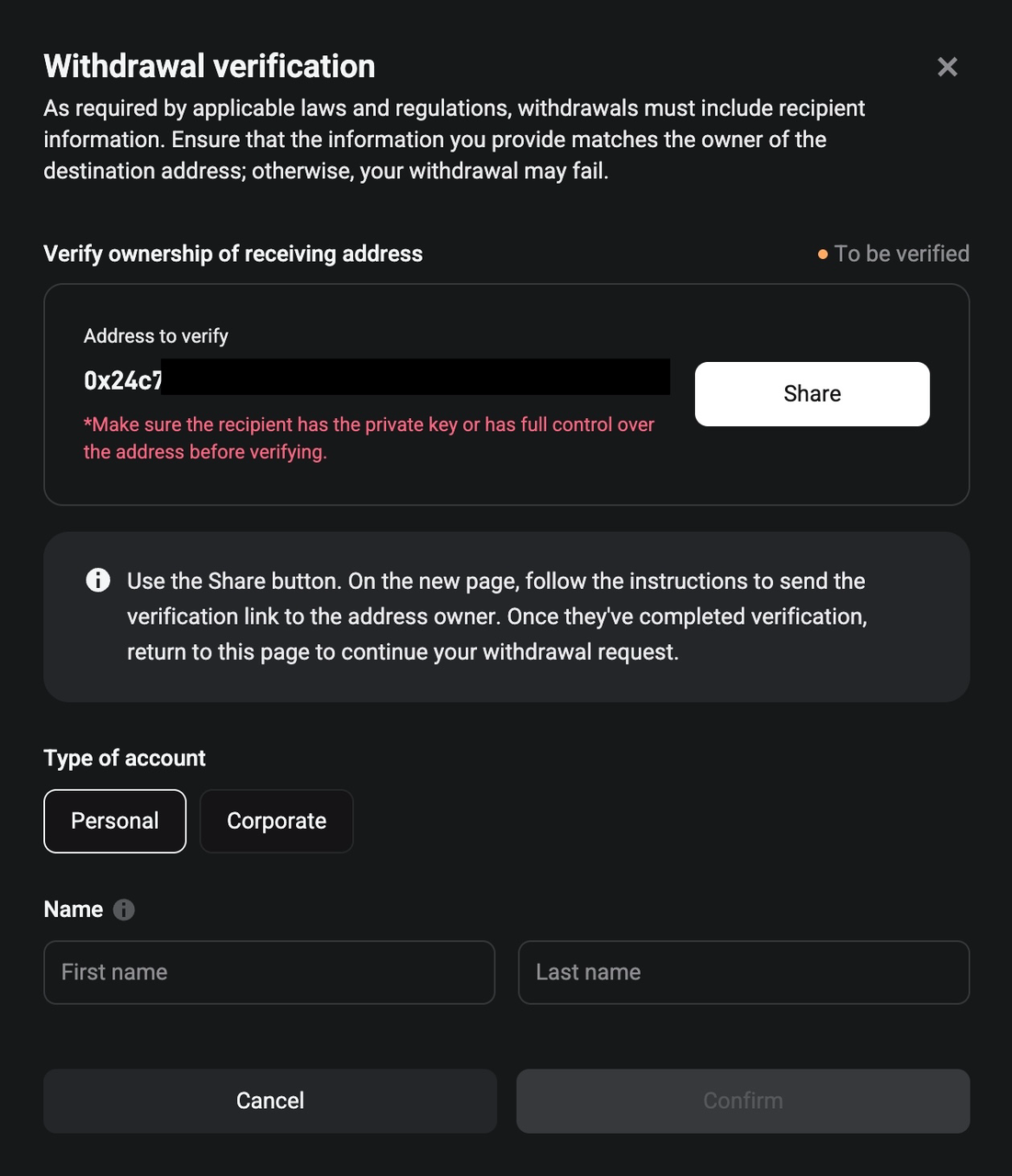
Wallet ownership verification if the withdrawal amount exceeds 1,000 EUR (via cryptographic signature or Satoshi test)
-
Legal name of the beneficiary
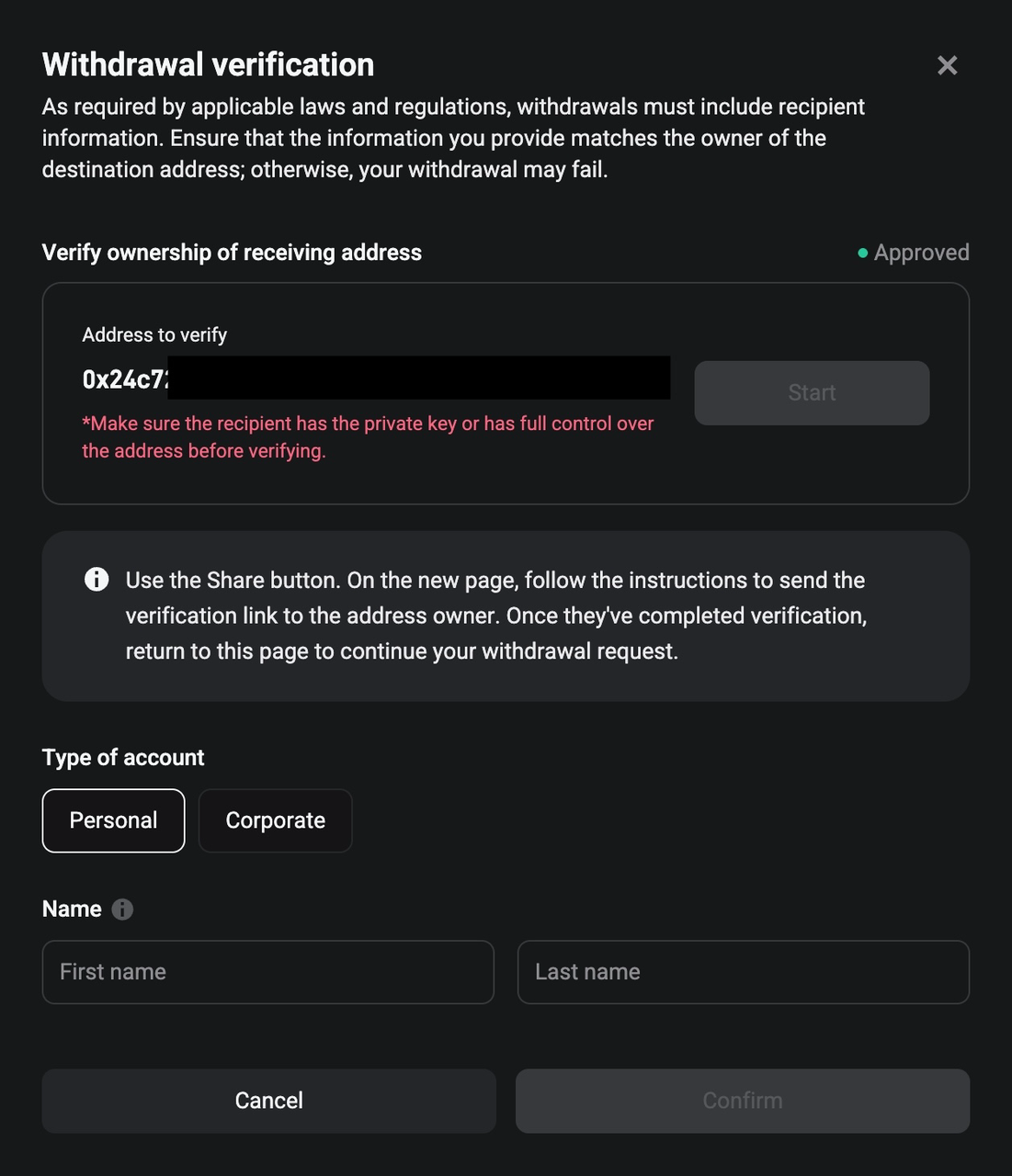
Step 1. Click the share button to proceed with the wallet ownership verification.
Step 2
-
If the funds are withdrawn to a third‑party wallet address, you may either need to complete the required information yourself and send a secure link to the recipient by email, or simply send the secure link to the recipient by email in order to proceed with wallet ownership verification.
-
If funds are withdrawn to your own wallet, you can proceed directly to wallet ownership verification without completing recipient details.
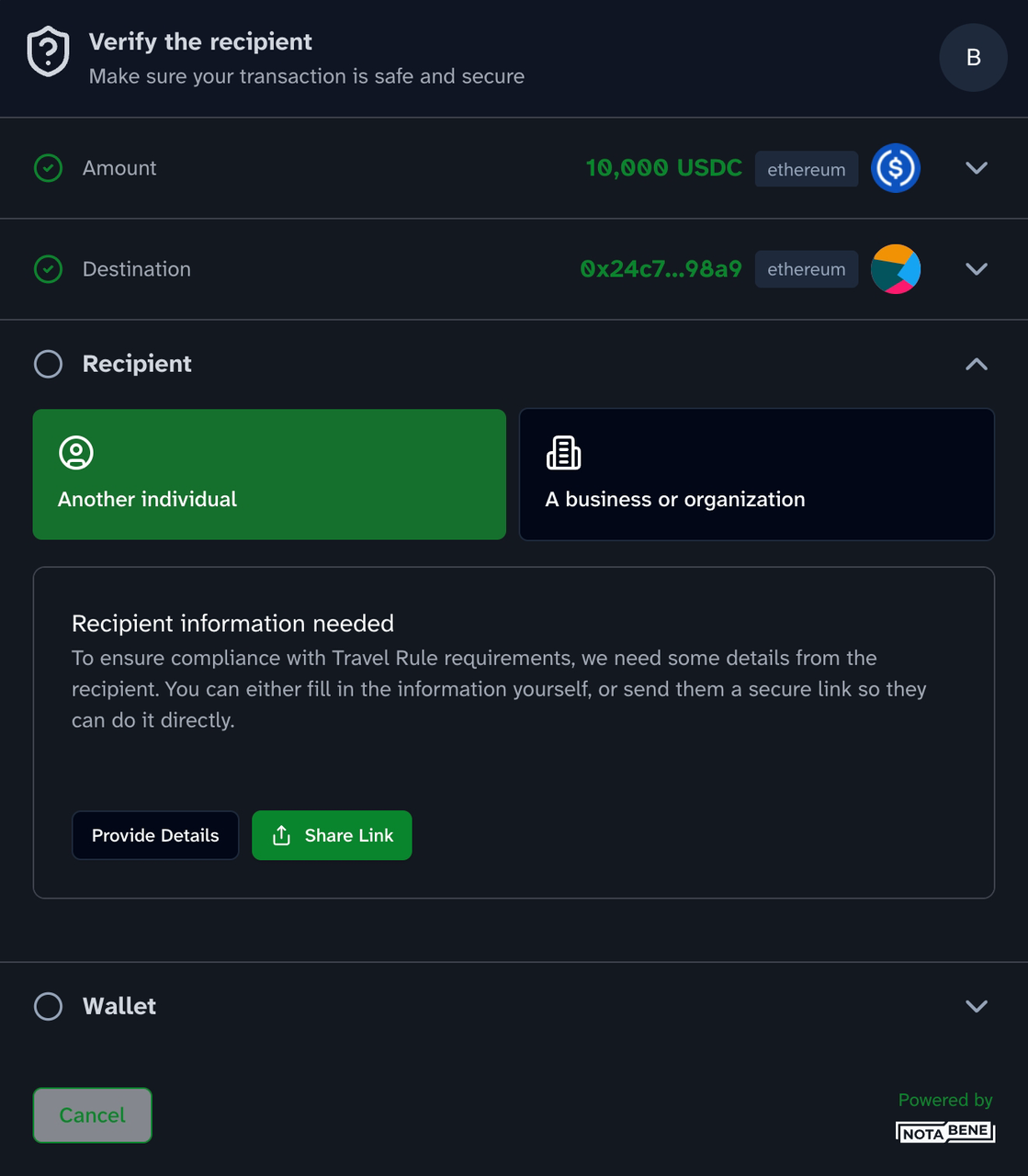
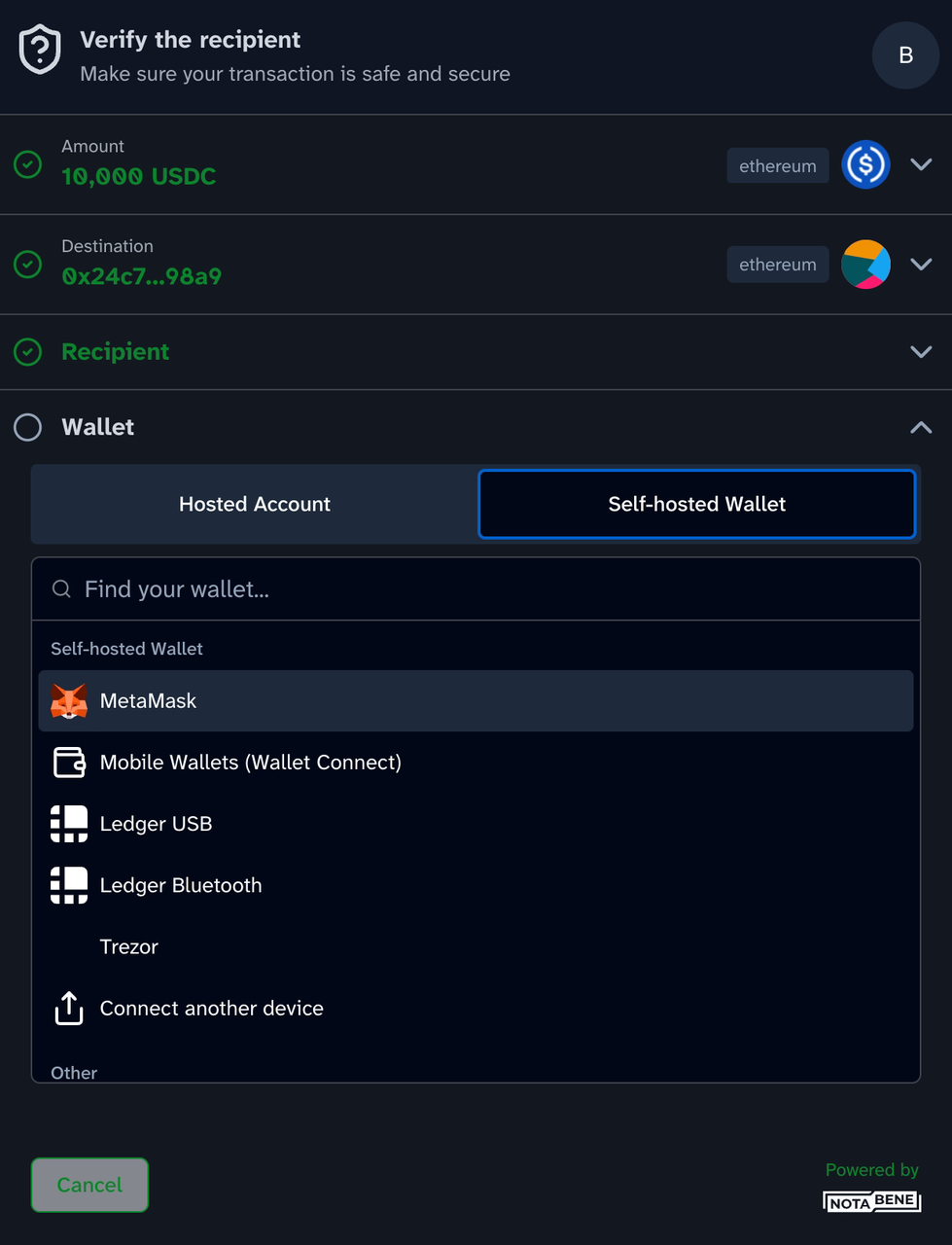
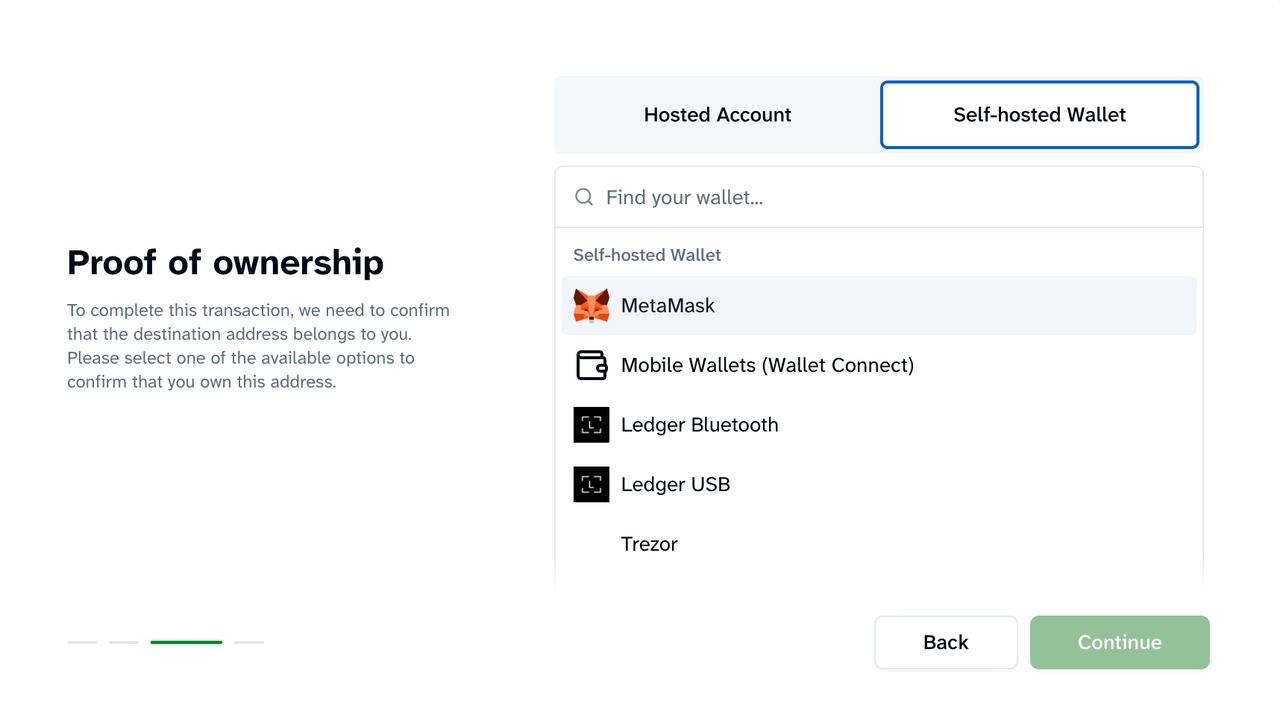
Step 3. The recipient needs to complete the wallet ownership verification by opening the secure link. Ownership verification can be completed using:
-
Cryptographic signature, by connecting and signing with the designated wallet
-
Satoshi test, by sending a small test transaction and providing the transaction hash
Cryptographic Signature
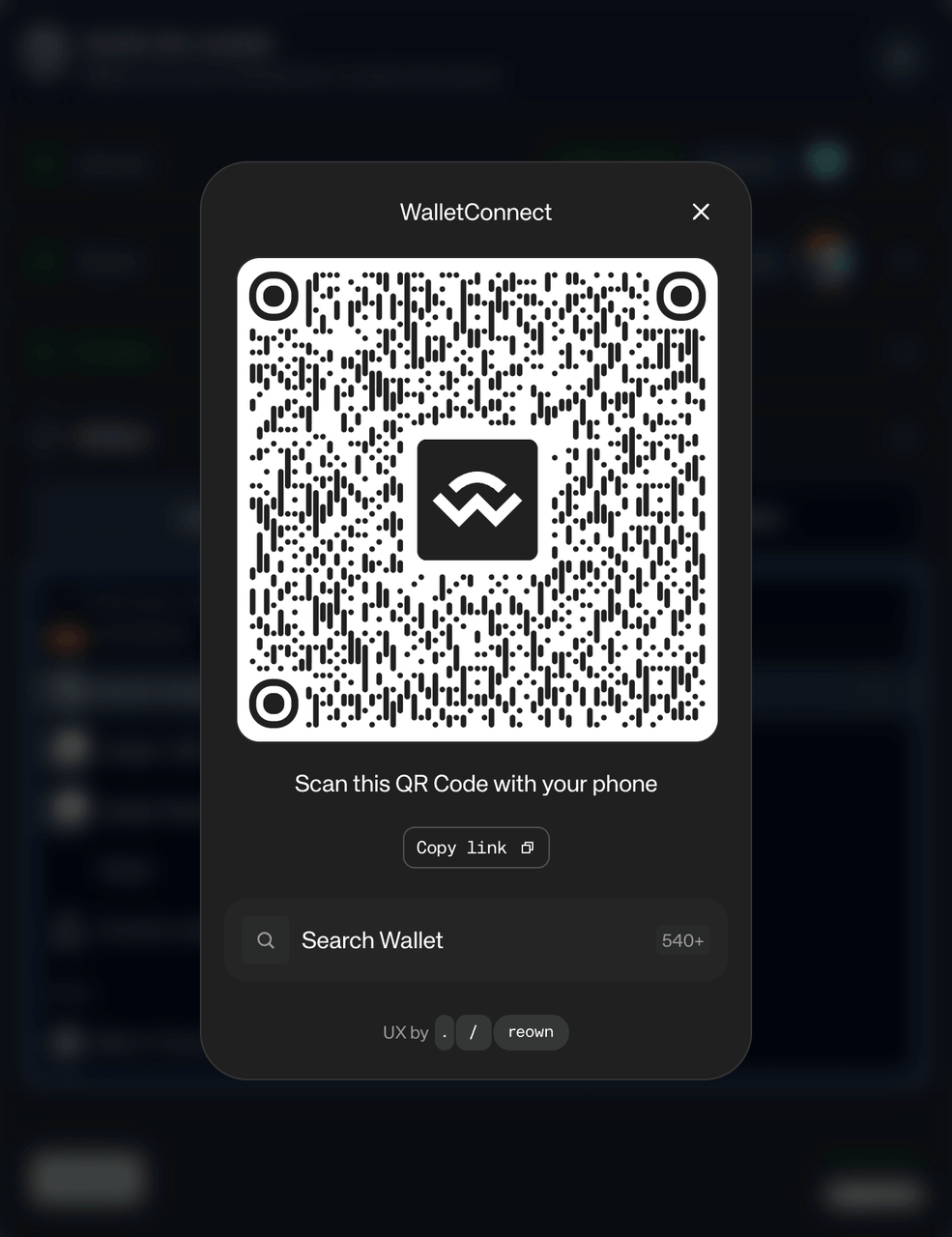
Select the designated private wallet or mobile wallet (WalletConnect), and connect the wallet to complete the verification.
Satoshi test
Send a small transaction from your wallet and provide the transaction hash to confirm ownership.
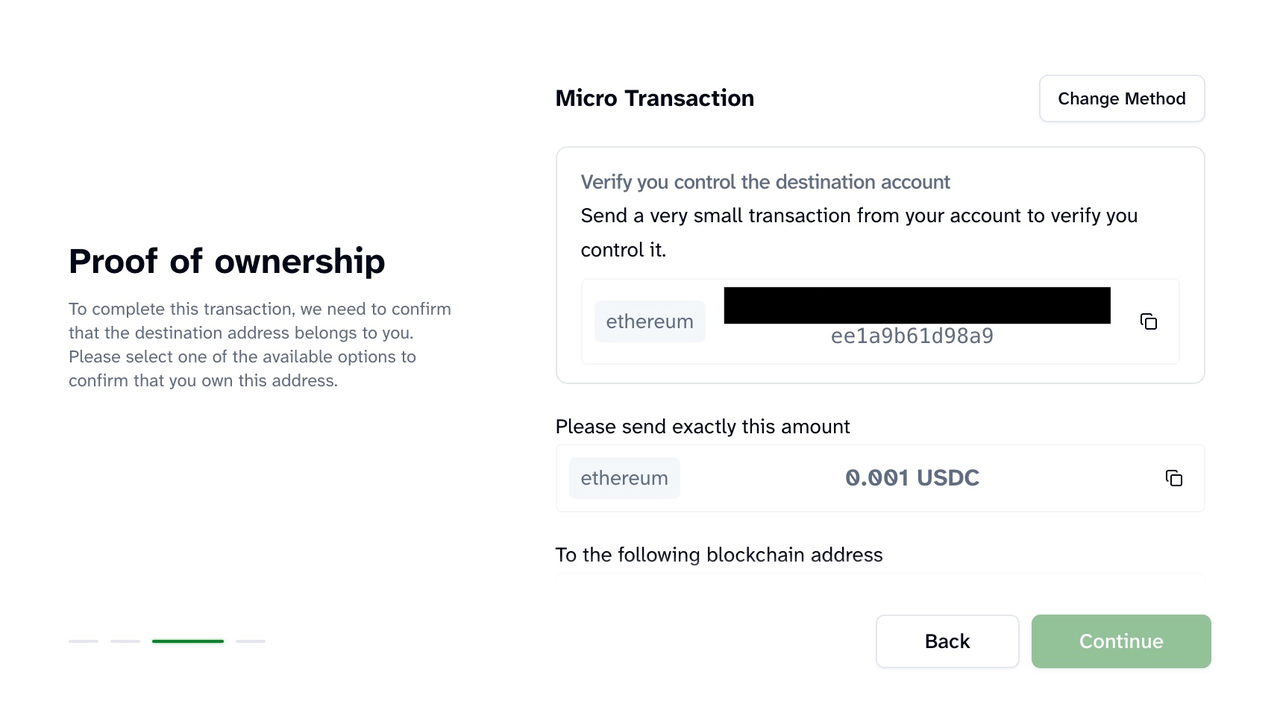
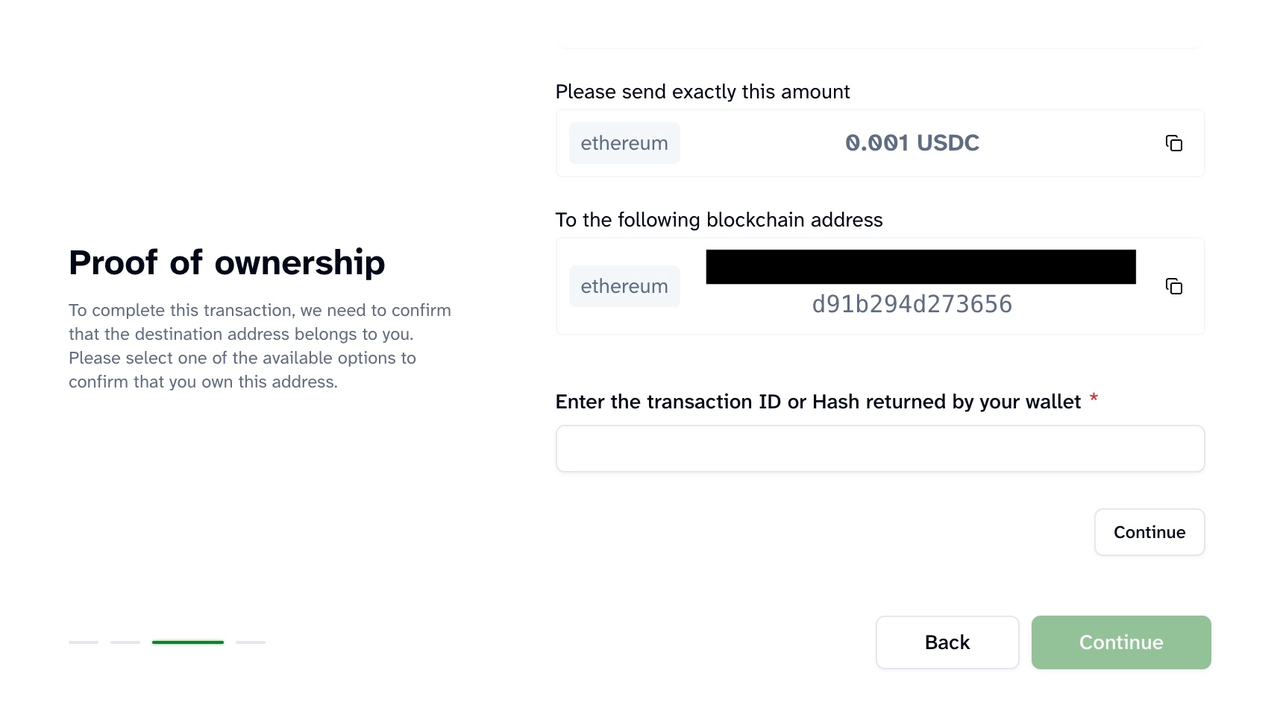
Step 4. Once ownership verification is sucessfully completed, the status in the right corner will display “Approved.” At that point, you may proceed by providing the legal name of the recipient to complete the withdrawal. Once completed successfully, your withdrawal will be processed.
3.2 Deposit
Follow the steps below to submit your deposit details.
Step 1: Select the deposit source.
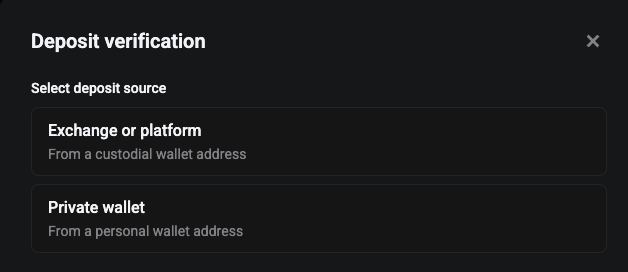
Step 2. Confirm whose account the deposit comes from.
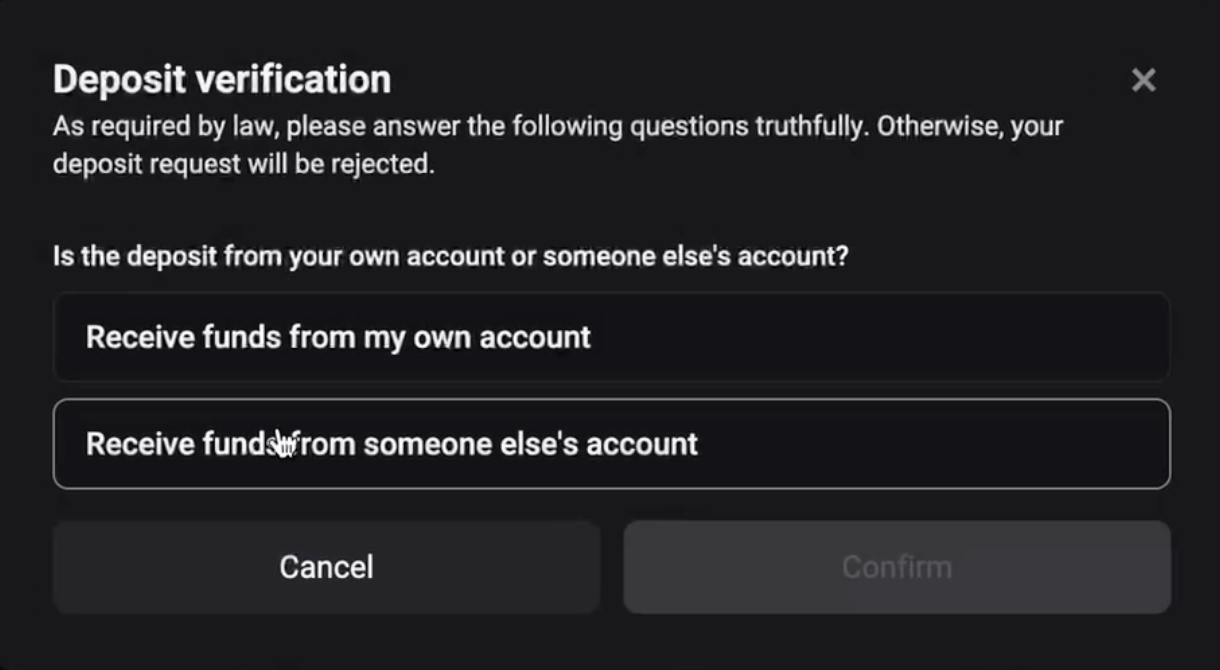
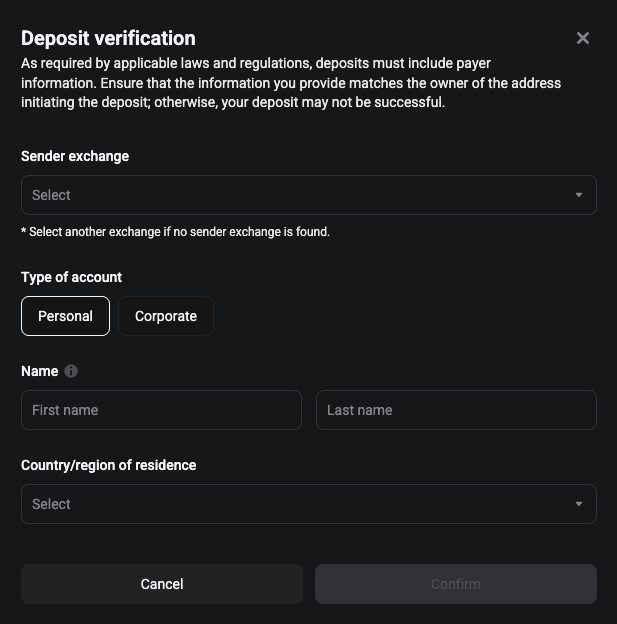
Deposits from Exchanges or Crypto Platforms
In particular circumstances, you may be required to provide:
-
Name of the originator exchange or crypto platform
-
Whether the deposit is from an individual or a company account
-
Legal name and country of residence or registration of the originator
Deposits from Private Wallets (e.g. MetaMask)
In particular circumstances, you may be required to provide:
-
Legal name and country of residence or registration of the originator
-
Wallet ownership verification if the deposit amount exceeds 1,000 EUR (via cryptographic signature or Satoshi test)
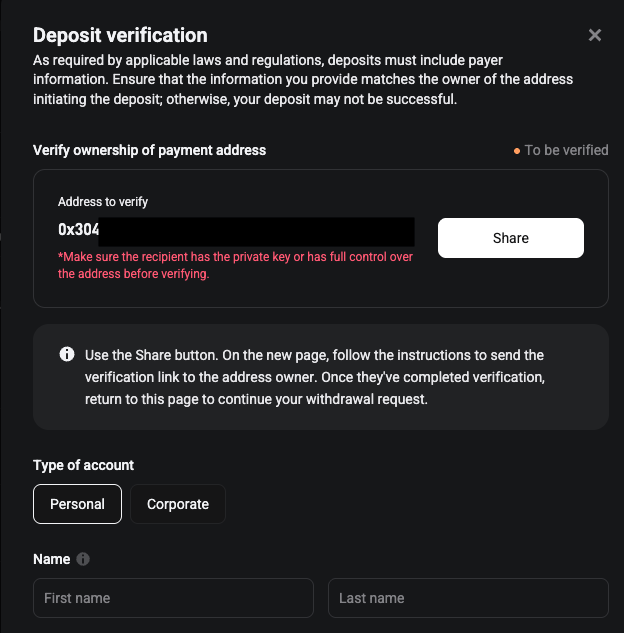
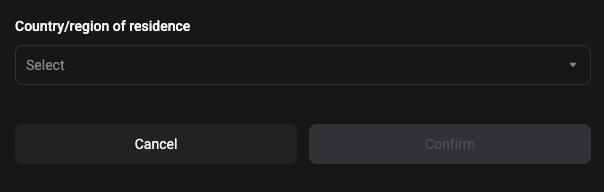
For wallet ownership verification, follow the same wallet connection process and steps outlined for withdrawals.
Step 4. Once ownership verification is sucessfully completed, the status in the right corner will display “Approved.” At that point, you may proceed by providing the legal name and country of residence of the originator to complete the deposit. Once completed successfully, your deposit will be processed.
4. Reasons for the withdrawal or deposit is pending, rejected or under Travel Rule review?
The reasons listed below reflect the most common scenarios; however, they are not exhaustive and other factors may also apply.
|
Reason
|
Explanation
|
Action Required
|
Applies To
|
|
Private wallet verification unsuccessful
|
The wallet address does not match the one used for signature verification.
|
Ensure the wallet address matches the signature address before retrying.
|
Deposit & Withdrawal
|
|
Missing information
|
Information may include the beneficiary’s name, name of the beneficiary's exchange, the originator’s full legal name, country of residence, and the name of the originator’s exchange.
|
You will receive an email notification. Review the details, correct the information, and resubmit.
|
Deposit & Withdrawal
|
|
Mismatched information
|
Details such as the beneficiary name do not match records held by the beneficiary exchange.
|
You will receive an email notification. Review the details, correct the information, and resubmit. Confirm all relevant details with the beneficiary before retrying.
|
Withdrawal
|
|
Travel Rule review
|
Bitget EU may periodically flag transactions for review based on various risk factors to protect users from industry bad actors.
|
Wait for the review process to be completed. These checks are necessary to safeguard customer assets.
|
Deposit & Withdrawal
|
We appreciate your cooperation as we implement these regulatory requirements. If you have further questions, please contact our Customer Support team.