How to Change My Bitget EU Account Password? - Website Guide
[Estimated Reading Time: 3 mins]
This guide explains how to change your Bitget EU account password to enhance security or recover access to your account.
How to Change My Bitget EU Account Password
Step 1: Access Security Settings
1. On the Security page, locate the Verification methods section.
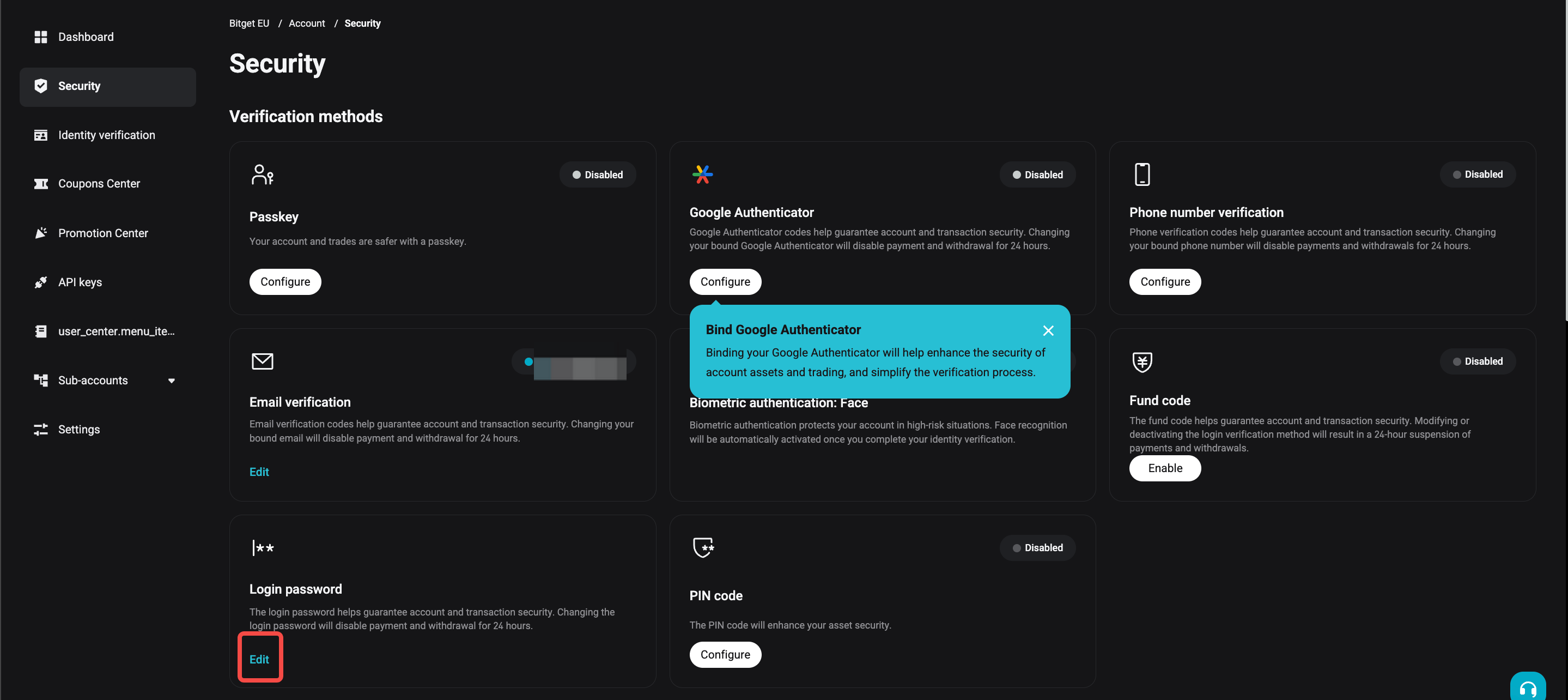
2. Click Edit under Login password.
Step 2: Change Your Password
1. Enter and confirm your new password, then click [Submit].
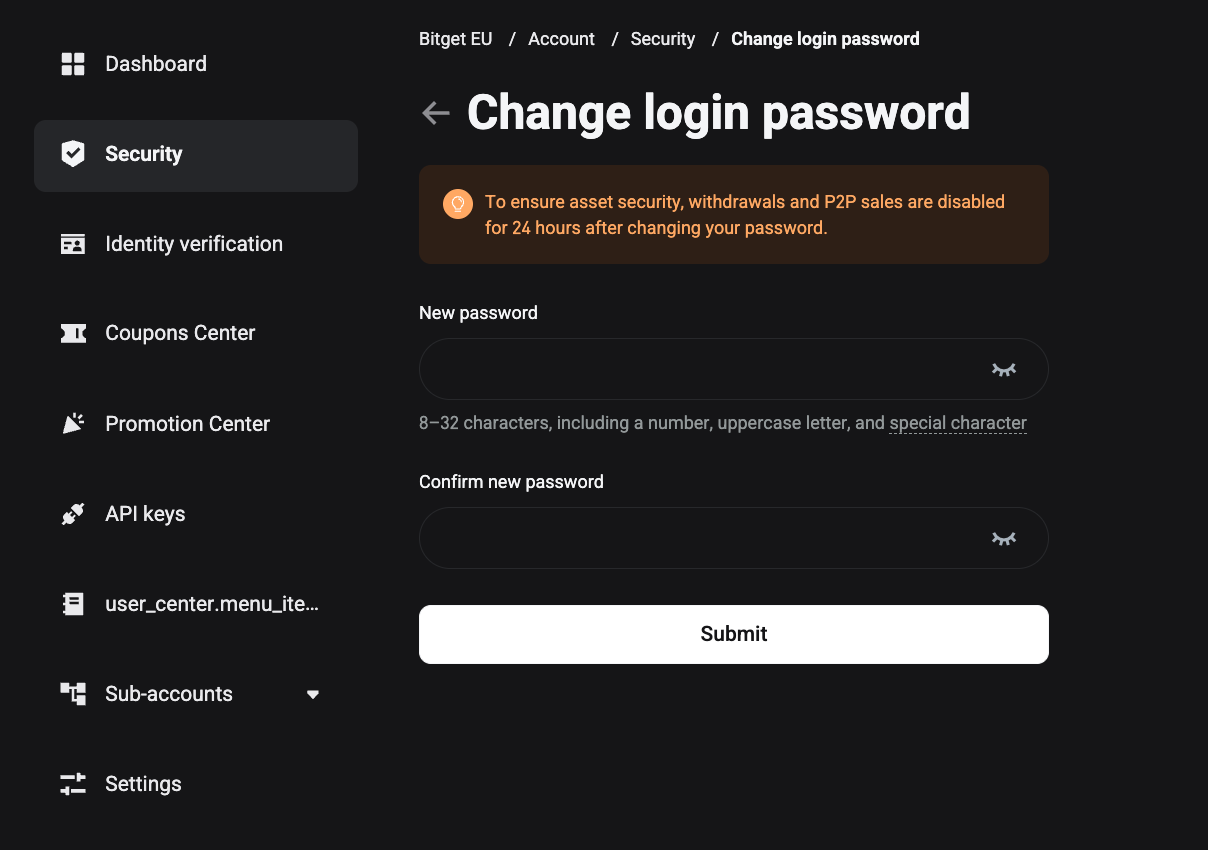
2. Ensure the password meets these requirements:
-
At least 8-32 characters.
-
Including a number, uppercase letter and special character. Example: ~`!@#$%^&*() _ -+={}[]|;:,<>.?/
3. Enter your current login password and click [Send] to receive an Email/SMS verification code.
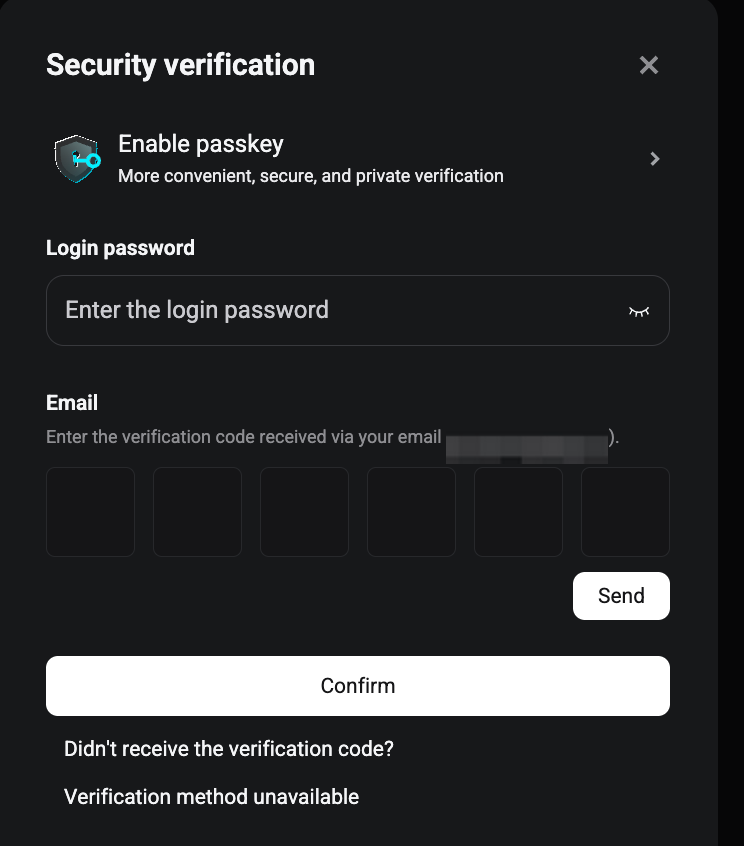
4. Input the verification code and click [Confirm] to successfully change your password.
5. If you have enabled Google Authenticator, you may input the Google Authenticator code and click [Confirm] to finalize the process.
Important: After changing your password, withdrawals will be disabled for 24 hours to ensure asset security. The restrictions will be lifted automatically after this period.
FAQs
1. Can I change my password without 2FA enabled?
Yes, but enabling 2FA is highly recommended for enhanced security.
2. How often should I update my password?
Regularly update your password, especially if you suspect unauthorized access or recommend it every 3–6 months.
3. Are there restrictions on reusing old passwords?
Yes, avoid reusing old passwords to maintain account security.
4. What should I do if I suspect unauthorized access to my account?
Change your password immediately, enable 2FA, and contact Bitget EU support for further assistance.
5. What if I lose access to my registered email or phone?
Check with your email/phone providers to recover the email or phone number or proceed to the self-service page to reset it.