How to Log In Using QR Code on Bitget EU Website?
[Estimated Reading Time: 3 mins]
This article provides a step-by-step guide on how to log into your Bitget EU account on the website using a QR code, simplifying the login process without needing to manually enter your email, password, or security code.
Key Notes
-
The Bitget EU mobile app must be installed on your device to use QR code login on the Bitget EU website.
-
The QR code is time-sensitive, refresh the page if it expires.
-
QR code login enables quick access without the need to enter your email, password, or security code.
How to log in with QR code
Step 1: Go to the Bitget EU login page
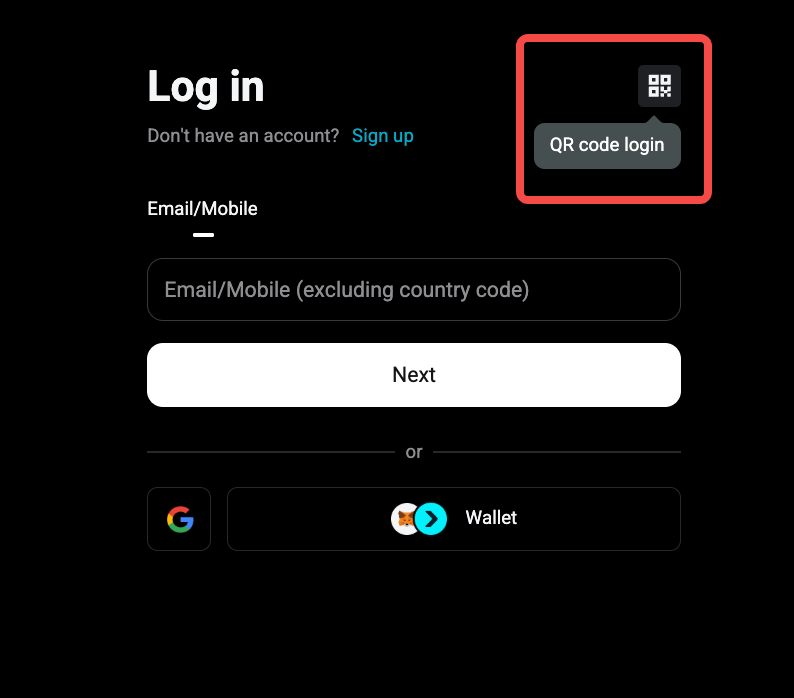
1. Go to Log In page on Bitget EU website
2. Click QR code displayed next to the login page.
Step 2: Open the Bitget EU mobile app
1. Launch the Bitget EU mobile app on your phone.
2. Click on the User Profile Icon located at the top-left of the app.
3. Then, tap the QR code icon at the top-right of the profile page.
Step 3: Scan the QR code
1. Scan the QR code using the Bitget EU mobile app.
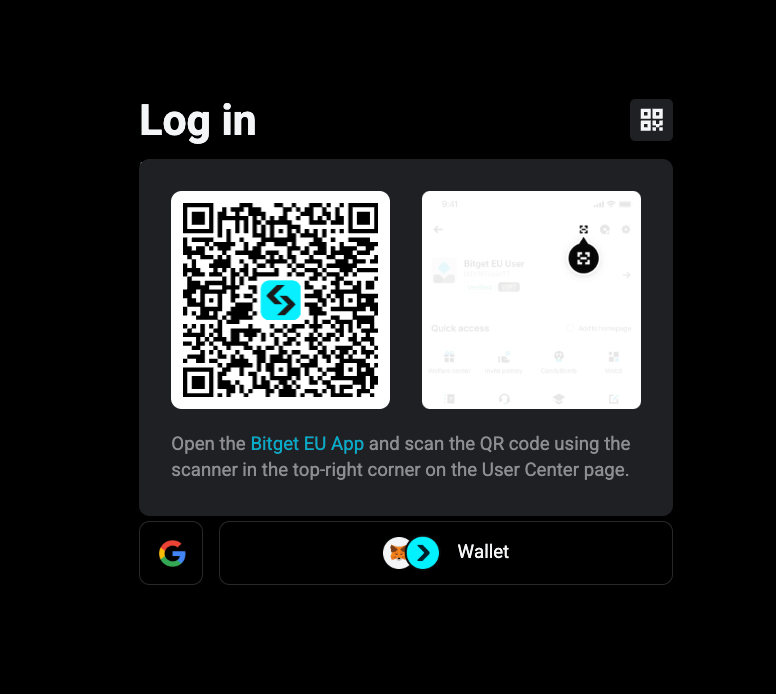
2. Tap Authorise Login to log in successfully to your Bitget EU account on the website.
Step 4: Refresh if the QR code expires
1. If the QR code expires, simply refresh the page to generate a new QR code.
2. Follow the same steps to scan the new QR code and log in.
FAQs
1. What should I do if the QR code expires?
Refresh the page to generate a new QR code and try scanning again.
2. Can I use QR code login on multiple devices?
Yes, as long as you have the Bitget EU mobile app and a supported browser, you can use QR code login across devices.
3. Do I need to enter my email or password after scanning the QR code?
No, scanning the QR code will log you in without the need to re-enter your email, password, or security code.
4. Why isn’t the QR code scanning on my phone?
Make sure your mobile app is up-to-date and your camera is focused on the QR code.
5. Can I log in to the Bitget EU website using a QR code without the mobile app?
Currently, the QR code login requires the Bitget EU mobile app for authentication.